
 by Scott Jack
Content Contributor, E-N Computers
Driving growth through technical operations and documentation for 15 years
Updated June 23, 2026
How much does a VoIP business phone system cost in 2026 and what should you consider when choosing a VoIP provider?
A reliable, cost-effective Voice-over-IP (VoIP) phone system can boost your company’s productivity while reducing telecom expenses and maintenance.
At E-N Computers, we offer cloud-based VoIP that gives our customers excellent phone service at a very reasonable cost. We’ve helped dozens of our clients in Virginia, West Virginia, Maryland and Washington, DC to save by replacing their legacy phones with a state-of-the-art VoIP phone system. And, despite inflation everywhere else, our VoIP service pricing has remained stable over the past three years or more.
In fact, our newer offerings provide even more value. Labor costs will be waived with a 36-month commitment, potentially saving your business thousands of dollars.
But how much does it cost to migrate to a new VoIP phone system? What factors go into that cost? And what are the ongoing expenses associated with VoIP phones? We’ll give you a good idea of how much you can expect to spend on your next phone system upgrade.
QUICK ANSWER:
How much does a VoIP phone system cost?
A leased phone and extension can be available for as little as $20 a phone with a longer term contract. The average VoIP phone system costs between $99 and $400 per extension.
Should you switch to VoIP?
Many of the clients that are coming to us are still using an on-premise PBX phone system and are looking into VoIP. If you have reliable internet access, VoIP is a good option. If your internet is unreliable, then VoIP will be frustrating and you should stick with what you have.
Beyond that, PBX vs. VoIP comes down to cost and simplicity. VoIP is usually cheaper and is far simpler to set up and maintain. Over the years, we’ve saved companies thousands of dollars by migrating their legacy phone systems to VoIP.
How to choose a business VoIP provider
One option is a national VoIP provider. They’ll ship you the phones; you plug them in and they mostly work. But they only touch your phone system and you still need someone else to manage the rest of your IT.
Using a regional provider like E-N Computers that offers VoIP and managed IT gives you a few advantages that a national provider can’t match:
- Local service: We plug the phone in. If it doesn’t work, we fix it.
- Consolidated network management: Some VoIP providers want you to buy a dedicated VoIP network. Because we handle both IT and voice, we can design a cost-effective approach without that overhead.
- Tailored solutions: You may have a dedicated analog fax line or other hard-wired lines for elevators, alarm systems or other special cases. A national provider won’t usually deal with those, but we will. We also can help you set up a PA system, alarm system, or door access that’s tied to your phones.
- Accountability with less finger-pointing: When your IT provider and your VoIP provider are different companies, they blame each other when something breaks. With us, there’s one call.
- Security: We offer a managed firewall add-on for VoIP-only clients. Managed IT clients already have one and won’t pay extra.
How VoIP phone service is priced
Two factors drive the cost of a VoIP system.
The first is the number of extensions—individual phones. There’s a cost to purchase, set up, and install each phone, plus a monthly charge per extension.
The second is the number of outside lines, called “call paths.” You might have 10 internal extensions, but only five people are ever on an outside call at the same time. That means you only need five call paths, not ten. This is a meaningful savings that many national providers won’t surface—they often bundle extensions and call paths together, so you pay for lines you don’t need.
There’s also a one-time fee to port your existing phone numbers to the new system.
If you’re working with E-N Computers, some setup costs are waived with a 36-month plan.
Try out our handy VoIP pricing calculator today!
Download our free VoIP guide
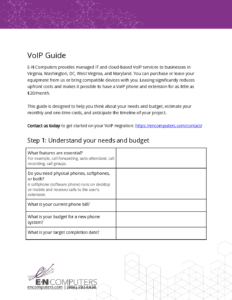
This free 5-page PDF walks you through thinking about your phone system needs, monthly and one-time costs, and what you can expect your project timeline to be like.
VoIP phone system setup and installation costs
Setup costs depend mainly on how many extensions you need and what equipment and infrastructure you already have in place.
Phone equipment costs
Most clients choose new VoIP phones to get the full feature set. We recommend the Polycom VVX series for desk phones and select Yealink models for cordless options.
We offer a phone leasing option at $5 to $20 per phone per month. A $20/month phone is typically a conference room unit with a speaker. For clients who prefer to own their phones outright, typical purchase prices run $150 to $200 per phone, plus a $50 labor charge per phone for setup and installation.
If you already have VoIP desk phones from Polycom, Cisco, Yealink, or Snom, we may be able to program them on our system for a $50 per-phone labor charge. That labor charge is waived with a 36-month agreement.
Phone number migration costs
Porting your existing phone numbers to a new VoIP provider is a one-time process. Our fee is $25 per number. Number porting is usually straightforward, but sometimes carriers reject ports when the account information submitted isn’t an exact match to their records. If that happens, we work through it with our carrier team.
Infrastructure and cabling costs
Each VoIP phone needs a wired connection to the internet. In most offices, we can use existing Ethernet cabling. Our phones have a gigabit pass-through port, so even a workstation with a single Ethernet port doesn’t need its own dedicated drop.
If a phone needs to go somewhere without an existing Ethernet connection, a new drop will need to be run—which adds labor cost. Some clients also choose to upgrade their network switches to support Power over Ethernet (PoE), which powers the phones without wall adapters. Infrastructure costs vary depending on your current setup.
VoIP phone installation cost summary
| Item | Cost |
| Hardware (purchase) | $150–$200 per phone |
| Hardware (lease) | $5–$20 per phone per month |
| Labor per phone | $50 (waived with 36-month agreement) |
| Phone number porting | $25 per number (one-time) |
| New Ethernet drop (if needed) | Varies by location |
Ongoing VoIP phone service costs
Because VoIP phone lines are virtual, monthly service costs are significantly lower than traditional landline service. Our cloud-based VoIP pricing separates extensions from call paths, so you only pay for what you actually use.
VoIP phone costs per extension
Each extension costs $20 per month. Add-ons are available at $3 per month each: an additional device on the same extension, call recording, virtual extensions, or conference bridges.
VoIP phone costs per call path
Each call path (outside line) costs $25 per month. Additionally, there is a $5 per month 911 registration fee per account.
Managed firewall service
For our VoIP-only clients, we also offer a managed firewall service for $150 a month. This is intended for smaller businesses who for one reason or another don’t want or aren’t able to sign up for full managed IT services. A managed firewall service at least offers a minimum of security for your business.
Optional managed firewall
For VoIP-only clients who aren’t on a full managed IT plan, we offer a managed firewall service for $150 per month. It’s the minimum security layer we’d want in place for any business running voice over the internet.
VoIP paging systems
VoIP also opens up cloud-based paging. Modern VoIP paging systems offer better audio quality and more flexibility than older legacy setups—announcements, emergency alerts, background music, and even visual alerts. With a VoIP system, every desk phone can potentially send and receive paging announcements.
Learn more in our article How to set up a VoIP paging system.
Monthly VoIP service cost summary
| Item | Monthly cost |
| Extension | $20 per extension |
| Additional device on same extension | $3 per extension |
| Call recording | $3 per extension |
| Virtual extension or conference bridge | $3 each |
| Call path (outside line) | $25 per call path |
| 911 registration fee | $5 per account |
| Managed firewall (optional, VoIP-only clients) | $150 |
A VoIP option for Microsoft 365 users: Teams Phone
If your business is already running Microsoft 365—and most of our clients are—Teams Phone is worth considering as a VoIP option. It turns Microsoft Teams into a full business phone system, adding inbound and outbound calling to the platform your team already uses for chat and meetings.
Teams Phone works well for organizations where most staff spend their days in Teams anyway. Instead of switching between apps, calls come in and go out through the same interface. Number porting is supported, and setup is manageable for organizations already on M365.
Here’s what the pricing looks like.
| Teams Phone license | Cost (per user/month) |
| Standard | $10 – required for PBX features (voicemail, call transfer, auto attendant). Does not include external calling minutes, can be paired with a different carrier for external calls. |
| Standard + pay-as-you-go calling plan | $13 – metered outbound calling; available in US, Canada, UK, Puerto Rico |
| Standard + domestic calling plan | $17 – includes 3,000 domestic outbound minutes/month |
| Standard + domestic + international calling plan | $34 – 3,000 domestic + 600 international minutes |
| Microsoft 365 E5 (includes Teams Phone) | $60/user/month (price increasing July 1, 2026). Eliminates the separate $10 Teams Phone license cost. |
A few things to keep in mind when evaluating Teams Phone:
- The standard license doesn’t include any calling minutes. Most of our clients that use Teams Phone choose the pay-as-you-go or domestic calling plans.
- Teams Phone depends entirely on Teams being operational. When Teams goes down, so does your phone system. If voice calls are mission-critical to your business, this needs to be part of your continuity planning.
- Hardware is optional—Teams calls work from a laptop or smartphone—but if you need desk phones, you’ll need certified Teams-compatible hardware, which runs $150–$300+ per device.
Teams Phone makes the most sense if you already spend your day in Teams, you don’t need desk phones, you’re already using E5 licenses (which include Teams Phone Standard), or you want the simplicity of having everything on a Microsoft invoice. If that’s not you, we also offer a traditional VoIP solution. We can walk you through both options and help you figure out which makes sense for your team.
The bottom line: VoIP phone system upgrade costs
Let’s use the example of a 50-person company upgrading their phone system. They would like all-new Polycom desk phones, plus a few more for the warehouse and conference rooms. They have five numbers to port over – sales, service, accounting, and two toll-free numbers.
Based on their call volume and business, 20 call paths should be sufficient. They’d like call recording for a few executives’ lines, and also two conference bridges.
Based on these numbers, this company could expect to pay around $14,000 in initial costs and about $1,500 per month in service charges. With our phone leasing option, the initial setup cost can drop nearly $10,000. With a 36-month contract, it can drop another $2,750.
How does VoIP phone service compare to legacy systems?
The savings can be dramatic. A Lexington, VA nonprofit organization with 18 employees was paying more than $2,500 per month for their old phone system. After moving to our cloud VoIP service, they are now paying just $750 per month – a savings of more than 70%.
Next Steps: VoIP phone system upgrades
Contact us today to discuss your VoIP phone system upgrade project. One of our VoIP experts will help you to choose the features that are right for you. Or, if you want to learn more before reaching out, check out the posts below.
READ: How does a VoIP phone system migration work?
READ: How to set up a VoIP paging system
When you have the right people working together, you can implement systems and processes that actively help you reach your business goals. We sometimes call this IT maturity. But for many organizations, something is off when it comes to their partnerships, strategy, systems, and settings. How can you know what’s working well and where you have room for improvement? Start by taking our free IT Maturity Self-Assessment. You’ll walk away with some pointers and, if you want, a free appointment to discuss your results.
Not sure if you need managed IT services?
Take the IT Maturity Self-Assessment

In a few minutes, get actionable insights on your IT strategy, plus a free strategic consultation.