
 by Scott Jack
Content Contributor, E-N Computers
7+ years experience in healthcare IT and tech support.
A network firewall, also known as a router, is a critical component of secure network infrastructure. Acting like a border control checkpoint, your firewall sits at the edge of your computer network and monitors all incoming traffic to decide what traffic to allow through. It can also prioritize traffic from inside your network to the internet.
As network technology, malware threats, and your business needs change, it may be necessary to upgrade your firewall. Reviewing the considerations below will help you make sure your firewall upgrade project scope is accurate, that you receive the right firewall hardware to meet your business needs, and that the upgrade process is smooth. Whether you work with E-N Computers, another vendor, or handle the upgrade yourself, knowing this information in advance will make for an easy and painless project.
QUICK ANSWER:
What should I know about a firewall upgrade?
To get an accurate quote and make the upgrade process quick and easy, you should compile:
- Information about your ISP and Internet connection.
- Details on your current network, such as the number of users or devices.
- Network configurations, such as wireless networks and VLANs.
- Desired changes or upgrades, such as guest Wi-Fi or VPN access.
Reasons to Upgrade Your Firewall
Though you may not think about your firewall every day, you will definitely notice if it develops problems that affect your network performance. If any of the following things are true, you may want to consider replacing your router in the near future:
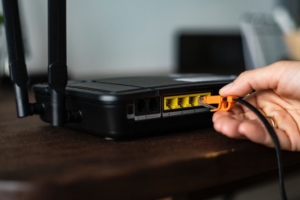
- You Experience Network Slowness or Dropouts: Your firewall sits at the center of your network and serves as your connection to the outside world. So if you notice that your network slows down, particularly during peak times, your firewall may not be keeping up with the traffic load.
- Your Firewall is Old or Out of Support: Firewalls, like all other pieces of hardware, will eventually fail due to age. If yours has been in service for many years, you may want to consider replacing it to avoid an unexpected outage and downtime. Additionally, firewalls require software upgrades and patches to remain secure. If your device has been discontinued by the manufacturer, it may no longer protect you from the latest threats.
- You Need to Add Devices to Your Network: If you are considering a technology upgrade that affects your network, like a VoIP phone system or a guest/BYOD wireless network, you need to make sure your router can handle the increased traffic and the security requirements of such a change. A new firewall can make implementing network changes much easier now and in the future.
- You Need Better WFH Support: Remote workers can place additional load on your router, and an out-of-date device can pose a serious security risk. A new firewall can help you to handle work-from-home employees while keeping your network secure.
If you’ve decided that a new firewall is right for you, the next step is to spec the hardware and plan an installation. The following guidelines will help you to make this process simple for you and your users.
Get the Firewall Upgrade Checklist
There are a lot of moving parts involved in replacing a firewall or router. This checklist helps you compile all key information in one place, making the entire process easier — from quote to installation.
Don’t have time to fill out the checklist right now? Enter your email address (totally optional!) and we’ll send you a link so you can download it later or share it with your team.
Scheduling & Planning a Firewall Upgrade
A typical firewall upgrade takes about two hours, with between 15 minutes and one hour of internet downtime. The installation is completed during our regular business hours, so you may wish to choose a day and time that will minimize business disruption. If during the course of installation we determine more time is needed, we can reconnect your old firewall and reschedule.
You will also want to make sure that your users are notified well in advance, particularly any remote employees. It’s a good idea to provide a reminder a day or so in advance of the upgrade time as well.
Understanding Network Load
To select the right firewall for you business, it is vital to know how many devices on your network connect to the internet. This may include workstations, servers, VOIP phones, security cameras using cloud storage, and guest wireless devices.
Exceeding the number of devices the firewall is designed to handle can result in reduced network speeds and dropped connections. If you are anticipating growth in the near future, let us know so that we can help size your firewall accordingly.
Internet Service
Your internet speed will determine the type of firewall that we recommend. A device that is not powerful enough will limit your internet speeds, particularly when many devices are connected. We’ll also need to know the name of your internet service provider (ISP) and the type of service you have (cable, fiber, DSL, etc.)
In addition, there are some other details that you will need on hand to make the upgrade process go smoothly. You should have your account number, support contact information, and the static IP address(es) assigned to you.If you don’t have a static IP address, you may need to order one before your firewall is installed. All of this information should be available on your billing statement or by calling your ISP support line.
Selecting a Physical Location
Your firewall is sensitive to heat, humidity, and heavy dust. To ensure its longevity, you should select a well ventilated room with temperatures not exceeding 80 degrees Fahrenheit. Ideally you should have a shelf or rack space where air can move freely around the unit; if not, the firewall can be mounted on the wall. If your internet enters the building in a location unsuitable for the firewall, a network cable can be run from there to a suitable location.
There are also a few power-related items to address. Your firewall will plug into a three-prong outlet. To maintain function of VoIP phones and 911 calling during a power outage, we recommend connecting it to an uninterruptible power supply (UPS), or battery backup. To reduce risks associated with power surges, we also recommend internet line surge protection connected to a grounding bar.
Existing Network Equipment
So that the firewall and all systems on your network are configured to communicate with one another properly, we will need administrative credentials to all existing network equipment. This includes on-site and cloud servers, switches, routers, firewalls, IP camera systems, and VoIP phone systems. If you have any pre-paid vendor support contracts for these, please provide that information as well.
Network Configuration for a Firewall Replacement
Your firewall will need to be pre-configured with your network information in order to make the transition as seamless as possible. The following information should be compiled and supplied to us (or your vendor) well in advance of the installation date.
Firewall Rules
We will set up rules that your firewall will apply to incoming and outgoing traffic. Port forwarding and network address translation (NAT) rules allow external parties to access internal resources without a VPN and should be used with caution. Quality of service (QoS) rules prioritize VOIP phone and video call traffic so you don’t miss an important piece of a conversation.
Geo-blocking and content filtering rules prevent certain countries, botnets, and spam sources from reaching your internal network, providing additional security protection. By default, we block countries with high levels of hostile network traffic including Russia, China, North Korea, and Iran, as well as known botnets and spam sources. We can also configure outbound content blocking to prevent your users from accessing malicious or inappropriate material.
Network Segments
Your network can be segmented for better security and traffic management. By default, these segments—called VLANs—can’t communicate with one another, but can access the internet. For example, you can have one segment for business operations, one segment for VOIP phones, and one segment for guest wireless. If you have additional segments configured on your network, we’ll need to know about them so that we can configure the new firewall correctly.
VPN
You may wish to set up a virtual private network (VPN) through your firewall. Client VPN allows remote workers to access your internal network. Site-to-site VPN connects your business locations so they operate as if they are on the same physical network. Cloud-to-site VPN creates a secure connection between cloud hosting providers like Azure and AWS to your network. If you intend to implement client VPN, determine how many remote workers will connect this way so that the correct hardware can be selected.
Internet Failover
Some businesses pay two internet providers so that if one has an outage, they have a backup internet connection. Your firewall can be set up in a failover configuration, so that it automatically switches to the secondary connection when your primary ISP has an outage. This can be a second wireline connection or a wireless 4G LTE connection, depending on what is available at your location.
If you already have a second ISP, make sure you have the information listed under the “Internet Service” section above for both services. If you are interested in adding a backup internet connection, let us know during the quoting process.
Cost of a Firewall or Router Upgrade
A firewall or router upgrade project for a small or midsize business can cost between $3,000 and $15,000, depending on the hardware needed and the labor required to configure, install, and test it.
The main factor that affects the cost is the number of users and devices on your network, as this influences the cost of the firewall hardware itself and the work involved in setup and installation.
Other factors that affect the cost of a router upgrade project include:
- Network complexity, such as multiple network segments (VLANs) or wireless networks.
- Remote worker requirements for VPN or remote access.
- Special security requirements, such as NIST or CMMC.
- Preparing an installation location, if you don’t already have a suitable network closet.
To understand other factors that could influence the cost of a router upgrade, use our free, downloadable Firewall Upgrade Checklist. It covers important factors and considerations that your vendor will need to know in order to provide an accurate quote. Download your free copy below.
Next Steps – Firewall Replacement
READ: How To Develop A Malware Response Action Plan
DOWNLOAD: Firewall Upgrade Checklist
A modern firewall is one fundamental part of network security. Training your staff to be alert to malware and having a malware response plan are also important. You can read our article “How To Develop A Malware Response Action Plan” for help developing your own procedures.
To assist you in gathering the information touched on in this article, we have prepared a Firewall Upgrade Checklist. Download it for a quick and easy reference as you compile credentials and other details needed for your upcoming firewall replacement. We invite you to contact us to discuss your firewall project and any other IT needs you have.
The following related articles can help you plan for network improvements.
READ: How much does a small network setup cost?
READ: How to secure the Meraki dashboard with best practices
Get the Firewall Upgrade Checklist
There are a lot of moving parts involved in replacing a firewall or router. This checklist helps you compile all key information in one place, making the entire process easier — from quote to installation.
Don’t have time to fill out the checklist right now? Enter your email address (totally optional!) and we’ll send you a link so you can download it later or share it with your team.