

 by Scott Jack
Content Contributor, E-N Computers
Driving growth through technical operations and documentation for 15 years
Updated November 24, 2025
IT hiring is brutal for employers and candidates right now. Small businesses compete with larger organizations for specialized, expensive talent in critical areas like cybersecurity and IT operations. As your business has grown more reliant on technology, you may have experienced firsthand the problems that come from not having skilled professionals to manage your computer systems.
Whether you’re hiring an IT person for the first time or looking to replace existing staff, there are key things you need to know about the IT world and the hiring process. In this article, we’ll explain how to find, qualify, and hire qualified IT staff to support your business—and when to consider alternatives.
E-N Computers has been around since 1997. During the past 28 years, we’ve interviewed and hired hundreds of IT job candidates. Currently we have more than 20 skilled IT professionals, and we’re always looking to attract and hire new IT talent. We’ve learned how certain roles serve as stepping stones, while other roles lead to high turnover and dissatisfaction.
If you’re wondering why IT hiring has become so challenging in recent years, check out our companion article: Why is it so hard to hire IT staff in 2026?
QUICK ANSWER:
How can I hire good IT staff in 2026?
1. Ask yourself why you want an IT person
2. Inventory your IT systems
3. Consider whether you primarily need someone to fill an information role or a technology role
4. Review salary expectations for your region
5. Ask questions that assess soft skills and technical knowledge
6. Consider alternatives to traditional hiring
Follow this five-step IT hiring process
Before you fire up Indeed and launch your IT job posting, there are a few things that you and your leadership team should consider. By having a clear picture of why you want to hire an IT person and the role you want them to perform, you’ll be in a better position to attract and screen the right candidates.
Step 1: Ask why you want an IT person
The first thing you should determine is why you are hiring an IT professional. (Hint: “Because we need an IT person” isn’t a good reason!) First, determine the business problem(s) that you’re trying to solve, and clearly state it. Here are some examples:
- We need our computer problems fixed quickly.
- We need to upgrade or better manage our ERP system or line-of-business software.
- We need to stay compliant with an industry or government regulation (PCI, HIPAA, DFARS, etc.)
Next, determine what is already being done to solve that problem and why that’s not working for you anymore. This includes the internal or external resources that you’re using.
- Ollie the Office Manager usually helps with computer problems, but she isn’t a trained IT person and is quickly out of her depth.
- Cindy the CFO ended up managing the ERP system, but after an upgrade went wrong last month we were down for days while the vendor tried to fix it.
- Local IT Shop, Inc. helps us with big computer issues, but they weren’t very much help when we got a ransomware infection.
For many companies, any of these problems can push them toward wanting to hire an IT person to take on the load. When you have a clear idea of the business problem you’d like to solve, it will help you to clarify the duties and responsibilities that an IT hire needs to cover.
Step 2: Inventory your IT systems
The next step in determining your IT hiring requirements is to take an inventory of everything in your IT systems that supports your business. This includes:
- Servers and workstations – how many of each do you have? What brand are they? Do they need to be replaced or upgraded soon?
- Network infrastructure – how big is your network? What brand of routers and switches do you use?
- Software infrastructure – do you use Active Directory? Exchange? Microsoft 365?
- Other business-critical software – Do you have an ERP system (Oracle, SAP, etc.?) Accounting software (QuickBooks, Peachtree, etc.)? Custom or legacy software?
- Vendors – Do you use an IT company or managed service provider? Who is your internet service provider?
- Phones – What is your phone system? VoIP or PBX? Is it supported by a vendor?
This list is just a guideline – every business will have different systems and software that need to be supported. But once you know what’s in your environment, you can get an idea of what you’ll expect your IT person to support – and how much you’ll need to pay them to do it.
Step 3: Decide if you need an information role or technology role
Your focus may be on upgrading and maintaining your IT infrastructure. If another staff member or an IT service provider can handle the front-line user support requests, then you can focus on hiring an infrastructure specialist. Or if your primary goal is to make better use of your ERP system, you can look for a data specialist who can produce reports and information that will guide your business.
When you know what your IT hire will be responsible for, you can define the IT job role that you need to search for.
A note of caution: When first exploring IT hiring, many companies search for a “jack of all trades” IT person who can do everything. Technology has become extremely complex in recent years. Rather than doing a little bit of everything, many IT people focus their careers on one specialty—user support, infrastructure, cloud, security, or another field. While this is great for firms who can afford to build out an entire IT team, smaller companies struggle to find and retain solo IT people without additional support.
Writing a job description that helps you hire qualified IT personnel can be tough when starting from scratch. You can copy existing job descriptions available online but sometimes they are badly written, whether by a human or AI.
We’re providing sample job descriptions to get you started, including business analyst, technology coordinator, computer support technician, IT director, and IT specialist roles. This gives you a mix of roles for information, technology, and user support. These samples also include detailed explanations of common IT job roles and how they fit together in small- and medium-sized businesses.
When you have a clear idea of the business problem you’d like to solve, it will help you to clarify the duties and responsibilities that an IT hire needs to cover.
Get the IT job descriptions
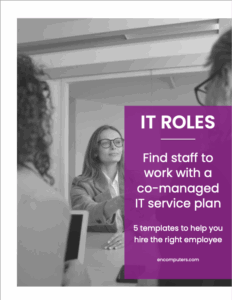
Hiring good IT personnel isn’t easy. Here are five sample job descriptions for some of the most common IT support professional roles: business analyst, technology coordinator and computer support technician, IT director, and IT specialist.
Don’t have time for the job descriptions right now? Enter your email address (totally optional!) and we’ll send you a link so you can download them later or share them with your team.
Step 4: Understand regional IT salaries and compensation
IT salaries can vary greatly depending on location, experience, and specializations. Even within Virginia, there is a huge range between IT salaries in Northern Virginia vs. the rest of the state. Salaries for IT professionals can range from $35,000 at the entry level all the way into the six figures for executives, senior positions, and highly specialized career tracks.
To get an idea of the IT salaries in your area, you can use job boards like Indeed and Glassdoor to do some research. It’s a good idea to look at the job descriptions rather than just the titles. As we discussed above, the same job role could be called by many names, so look at several listings in your area to get a ballpark.
For 2026, the Robert Half Salary Guide projects that technology and IT salaries will rise an average of 1.6% year over year. This moderation signals a more sustainable, stable market, but also one that highly rewards professionals with expertise in emerging fields.
2025-2026 Virginia IT salary ranges
Salary expectations have increased significantly since 2024, driven by cost-of-living increases and intensifying competition for talent. Here are updated ranges for Virginia markets:
Metro areas (DC, Richmond, Norfolk):
- IT Director/Senior Engineer (L3): $90,000-$116,000
- Infrastructure Specialist (L2): $56,000-$75,000
- Support Technician (L1): $50,000-$58,000
Mid-market/rural areas (Waynesboro, Lynchburg, Roanoke):
- IT Director/Senior Engineer (L3): $65,000-$92,000
- Infrastructure Specialist (L2): $47,000-$58,000
- Support Technician (L1): $38,000-$52,000
The reality check: If your salary expectations are based on 2023 or earlier benchmarks, you’re likely 20-40% below current market rates. Salary expectations have increased 15-30% compared to pre-pandemic levels, driven by inflation and increased competition for talent. To attract high-caliber talent, compensation needs to be competitive within your region, especially for high-demand skills. Robert Half data shows that 87% of technology leaders typically offer higher starting salaries to candidates with specialized skills, with the highest premiums paid for expertise in AI, machine learning, data science, and cybersecurity.
If you can’t compete on salary alone, consider:
- Fully remote or hybrid flexibility
- Professional development budget and clear career advancement path
- Better work-life balance (no weekend on-call rotations, reasonable ticket loads)
- Stronger team support (not leaving someone as a solo IT department)
For a more in-depth discussion of the costs involved in IT hiring, see our article How Much Does IT Support Cost. We include a full breakdown of the costs involved in building and training an IT department.
Step 5: Ask effective interview questions
The internet can provide you with many lists of “tech interview questions” but most are aimed at software developers, not IT support technicians and system administrators. But there’s another problem with relying on a long list of technical questions. Businesses need to be looking for IT personnel with people skills and great technical skills. These two strengths are often hard to find together.
In our experience, technical skills can be taught and learned more easily than people skills. So, we recommend starting with the people skills.
You can borrow our interview questions, which are listed here: The 29 best interview questions to ask an IT job candidate. This includes a short list of technical questions and some great “people skill” questions that we find work well.
Consider alternatives to traditional hiring
Here are two ways to add IT personnel without going through the traditional process of putting out a hiring ad, interviewing candidates and selecting someone for the job. Both of these options can either complement or replace the IT hiring process for your company.
Use a recruiter to hire IT personnel
A recruiter, or headhunter, is a way to outsource the IT hiring process to someone more familiar with the industry and the requirements of IT job candidates. A recruiter’s job is to match the right candidate with the right position. They may draw from their own database of job listings or approach those who may not actively be looking for a job change but may be interested in the position. They may even help you to define the job description to attract the right candidates.
However, recruiters are not cheap. Typically, the employer pays the recruiter once a candidate has been selected and hired. This usually works out to the equivalent of one month’s salary for the position.
Here are some recruiters that specialize in the IT industry:
Partner with a managed IT services provider
A managed services provider (MSP) can provide your business with many of the resources of a larger IT department for a flat monthly fee. An MSP can be used in addition to or instead of internal technical or information staff. This option can ease the load on internal staff who may be battling burnout.
When you partner with an IT service provider, it allows you to better focus your internal resources on the IT issues that are specific to your business. The MSP will focus on helping you keep your systems running, while your internal team focuses on using those systems in the best way possible for your business.
If you’re trying to decide between hiring a new IT person or using an outsourced IT service like a managed service, the following article may help you evaluate the cost of each option and potential return on investment:
Should I outsource my IT department (with calculator)?
In our experience, many businesses who want to build an IT team are best served by hiring a CIO, information manager, or business analyst who can manage the data flowing in and out of their ERP system, accounting software, and other line-of-business applications. Then, they can take advantage of an MSP to handle the technical aspects of maintaining those systems and applications. You can read more about this approach in our article Should I Hire an IT Support Manager or a Business Analyst?
Next steps for IT hiring
- WATCH: How much does IT support cost? (On-demand webinar)
- READ: How much does IT support cost in 2024?
- READ: Should I hire an IT support manager or a business analyst?
When you have the right people working together, you can implement systems and processes that actively help you reach your business goals. We sometimes call this IT maturity. But for many organizations, something is off when it comes to their partnerships, strategy, systems, and settings. How can you know what’s working well and where you have room for improvement? Start by taking our free IT Maturity Self-Assessment. You’ll walk away with some pointers and, if you want, a free appointment to discuss your results.
Not sure if you need managed IT services?
Take the IT Maturity Self-Assessment

In a few minutes, get actionable insights on your IT strategy, plus a free strategic consultation.