

 by Blake Cormier
Content Manager, E-N Computers
12+ years experience in enterprise IT and managed services.
Updated December 9, 2025
If you’re a defense contractor, you’re currently facing the time when you’ll have to meet tougher cybersecurity standards if you want to keep working with the Department of Defense (DoD). Never fear, we’ll explain the roughly 110 requirements most businesses will need to satisfy under NIST SP 800-171 R2 (or R3 once finalized), and how they relate to DFARS and the Cybersecurity Maturity Model Certification (CMMC) 2.0. Then we’ll give practical examples on how you can implement compliant practices even in a small network.
E-N Computers is a Virginia-based IT managed service provider with remote services from coast to coast. We’re focused on small business defense contractors, particularly manufacturing and engineering firms. Two of our veteran engineers are Registered Practitioner – RPs with The Cyber AB, and ENC is a Registered Practitioner Organization (RPO), which validates our expertise as CMMC consultants.
If you want help preparing for CMMC, schedule a free strategy session with a certified CMMC practitioner with 29 years of experience in IT. In just 30 minutes, we will go over what your next steps should be to quickly move toward certification.
First, some important dates
You don’t need to rely on speculation anymore; the regulatory landscape has changed recently. As of November 10, 2025, the new CMMC-related DFARS clauses became effective.
Contracts issued or renewed after the rule’s effective date will include requirements tied to CMMC Level 1 or 2 (depending on whether they involve only Federal Contract Information (FCI) or Controlled Unclassified Information (CUI) as part of contract award and performance.
That means small-to-medium contractors, including manufacturing or engineering firms working on DoD contracts, need to treat compliance as “real and required,” not just a future possibility.
And then some important acronyms
If you’re looking into CMMC certification, you have likely heard a whole list of acronyms: DFARS, NIST 800-171, CMMC, CMMC 2.0 and more.
Here’s a broad generalization of what they are: NIST 800-171 recommends cybersecurity standards. DFARS requires those standards to be followed by defense contractors. CMMC proves whether a contractor follows the standards.
DFARS, or the Defense Federal Acquisition Regulations Supplement, lays out cybersecurity requirements for defense contractors. The requirements are largely based on NIST SP 800-171, a set of recommended standards developed by the Department of Commerce. NIST SP 800-171 Revision 2 (R2) currently outlines 110 security recommendations.
Up until now, defense contractors have been able to self-attest their compliance with NIST SP 800-171 R2 by submitting a score to the Supplier Performance Risk System (SPRS). When CMMC 2.0 is finalized, most defense contractors handling CUI will have to complete mandatory third-party assessments (Level 2) to certify their compliance, while those handling only FCI will self-attest annually (Level 1).
Our guide will walk you through those 110 NIST SP 800-171 R2 requirements, which form the basis for CMMC Level 2. (You can also download this post as a PDF and review it later.)
NOTE: NIST SP 800-171 Revision 3 (R3) is currently in its final stages and is expected to be published shortly. While the overall number of controls remains roughly the same, the requirements are restructured to align with NIST SP 800-53 R5 and may involve some changes to specific practices. Organizations should currently use R2 while preparing to transition to R3 upon its publication.
Each of the requirement families is divided into basic security requirements and derived security requirements. Basic requirements outline the overall goal of the security requirements while derived requirements list specific controls or processes that implement those goals. But, even in these derived requirements, there are no specific means to implement these requirements — that is up to each organization’s system security plan (SSP). So, we’ll mention a few ways that these requirements can be met, but the specifics will depend on the requirements of your company and network environment.
QUICK ANSWER:
What is the difference between CMMC, DFARS and NIST 800-171?
- NIST 800-171 recommends cybersecurity standards.
- DFARS requires those standards to be followed by defense contractors.
- CMMC proves whether a contractor follows the standards.
DFARS, or the Defense Federal Acquisition Regulations Supplement, lays out cybersecurity requirements for defense contractors. The requirements are largely based on NIST SP 800-171, a set of recommended standards developed by the Department of Commerce. NIST SP 800-171 outlines 110 security recommendations.
Table of Contents
- Access Control
- Awareness and Training
- Audit and Accountability
- Configuration Management
- Identification and Authentication
- Incident Response
- Maintenance
- Media Protection
- Personnel Security
- Physical Protection
- Risk Assessment
- Security Assessment
- System and Communications Protection
- System and Information Integrity
- Final thoughts on CMMC compliance
- How we can help you reach compliance
- Learn more about CMMC
3.1 Access Control (AC)
Basic Requirements
The two basic security requirements in the Access Control family are:
- Limit system access to authorized users, processes acting on behalf of authorized users, and devices (including other systems)
- Limit system access to the types of transactions and functions that authorized users are allowed to execute
In other words, only authorized users should be able to access your systems, and those users should only be allowed to do what they are authorized to do. For example, a visitor to your offices shouldn’t be able to log on to one of your computers. But there’s more. For example, while your staff accountant of course needs to be able to log on to her computer and access financial data to do her job, she shouldn’t have access to engineering drawings and R&D data from another section of your office.
Derived Requirements
There are 22 derived security requirements in the access control family. These requirements cover specific ways that access control must be maintained on your network. First, let’s talk about “least privilege”. Four of the security requirements cover this important security principle:
- Employ the principle of least privilege, including specific security functions and privileged accounts.
- Use non-privileged accounts or roles when accessing non-security functions.
- Prevent non-privileged users from executing privileged functions and capture the execution of such functions in audit logs.
- Limit unsuccessful login attempts.
“Least privilege” means granting only the rights or access needed for a specific job, task, or function. One basic way is making sure that all users — even those who occasionally need local admin rights — are not using administrative accounts for day-to-day use. This is especially true of admins who have rights to administer secure systems: they should use a secondary login for those functions, with a more limited account for things like Web browsing and email. See an example of least privilege in action with our video Least Privilege Made Simple with AutoElevate.
Another set of security requirements in this section involves remote access to your systems.
- Monitor and control remote access sessions.
- Employ cryptographic mechanisms to protect the confidentiality of remote access sessions.
- Route remote access via managed access control points.
These three requirements almost certainly involve the use of a VPN gateway to enable remote access to your systems. Even still, just using a VPN does not guarantee security. It must be configured in a way that keeps authorized users secure while keeping unauthorized users out. A well-configured VPN service will allow you to restrict access to authorized users, route VPN traffic via encrypted tunnels, and control what services VPN users may access. Plus, logging is required to prevent data breaches and exfiltration. The requirements also extend to your wireless network.
- Authorize wireless access prior to allowing such connections.
- Protect wireless access using authentication and encryption.
Of course, this means that open Wi-Fi networks are out. But even consumer-grade encryption, such as WPA2-PSK, is probably not secure enough to meet this standard. Enterprise-grade authentication and strong encryption should be used, for example, by authenticating users and devices via a RADIUS service (using 802.1X). And any Wi-Fi access provided to guests also needs to be secured and separated from your internal network.
The final set of security requirements that we’ll cover involves mobile devices, including laptops.
- Control connection of mobile devices.
- Encrypt CUI on mobile devices and mobile computing platforms.
- Verify and control/limit connections to and use of external systems.
- Limit use of portable storage devices on external systems.
If your mobile devices are connected to untrusted networks, then extra care must be taken to make sure they remain secure. Also, a full disk encryption solution, such as BitLocker or FileVault, is required for any device that stores CUI. Several big data breaches in recent years were caused by theft or loss of a laptop holding sensitive information, which would have been mitigated by a disk encryption solution.
The next two requirement families are Awareness and Training and Audit and Accountability. These two categories are less technical than the others we’ve discussed, but they are still critical to protecting your network against threats.
3.2 Awareness and Training (AT)
Basic Requirements
The basic security requirement for the Awareness and Training family is:
- Ensure that managers, systems administrators, and users of organizational systems are made aware of the security risks associated with their activities and of the applicable policies, standards, and procedures related to the security of those systems.
- Ensure that personnel are trained to carry out their assigned information security-related duties and responsibilities
Derived Requirements
And these are condensed down into a single derived requirement:
- Provide security awareness training on recognizing and reporting potential indicators of insider threat.
These requirements leave plenty of leeway for you to craft your own strategy for security awareness and training for your users and employees. We’ve covered some security training basics before (such as detecting a phishing attempt and protecting yourself from cybercrime), and these techniques should be part of your security training program. This can include:
- Phishing awareness
- Internet security
- Email hygiene and safety
- Social engineering training
The security requirements also mention “insider threats.” While it’s generally not good business to be constantly suspicious of your own employees, caution is sometimes necessary. Your IT team in particular should be aware of users asking for access to information outside their job scope without good reason. Rights requests should be screened and properly approved before being granted. Generally, policies such as these will serve to keep the “honest people honest” and deter any potential insider threats.
Watch: What is a Replay-Resistant Authentication Mechanism?
NIST 800-171 and CMMC both mandate the use of “replay-resistant authentication mechanisms.” What exactly does that mean? Which authentication methods are replay-resistant? Find out (with a little help from Jason Bourne) in the video below:
3.3 Audit and Accountability (AU)
Basic Requirements
The basic requirements for the Audit and Accountability family are:
- Create and keep system audit logs and records to the extent needed to enable the monitoring, analysis, investigation, and reporting of unlawful or unauthorized system activity.
- Ensure that the actions of individual system users can be uniquely traced to those users so they can be held accountable for their actions.
There are several logging and auditing solutions that will meet this section’s requirements (for example, Graylog, Windows Event Forwarding, Splunk, or Elastic Stack). But the derived requirements for this family will help you design and implement a solution that complies with DFARS.
Derived Requirements
For example, one of the derived requirements is: “Provide a system capability that compares and synchronizes internal system clocks with an authoritative source to generate time stamps for audit records.” If all your systems’ clocks are out of sync, then the logs from those systems cannot easily be correlated in an intrusion. Using a Network Time Protocol (NTP) service to synchronize all systems with an authoritative source is a common way to meet this requirement.
Two other derived requirements help to reinforce the concept of role separation:
- Protect audit information and audit logging tools from unauthorized access, modification, and deletion.
- Limit management of audit logging functionality to a subset of privileged users.
If your logging service can be changed by unauthorized users, then it is essentially worthless for a forensic investigation. So, while some users will need access to the logged data for various purposes, only a small group should be able to delete that information — and that action itself needs to be monitored and alarmed. That will help protect against both intruders and insider threats.
Get the DFARS guide as a PDF
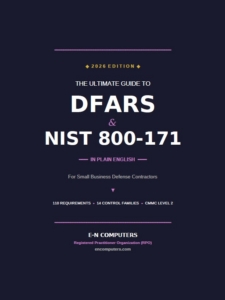
Get our comprehensive DFARS checklist as a PDF. You’ll receive a clear, actionable 22-page summary of everything a small defense contractor needs to know about DFARs and NIST 800-171 compliance.
3.4 Configuration Management (CM)
The fourth security family is Configuration Management. Configuration management is a set of practices that makes sure your systems and devices are configured correctly from the start and that any changes made to their configuration don’t affect the security of your systems. It’s a big topic — but even small enterprises can benefit from enacting configuration management principles before things grow to be more complex.
Basic Requirements
The two basic security requirements in this requirement family are:
- Establish and maintain baseline configurations and inventories of organizational systems (including hardware, software, firmware, and documentation) throughout the respective system development life cycles.
- Establish and enforce security configuration settings for information technology products employed in organizational systems.
While these requirements may sound similar — and they are closely related — they emphasize two different sides to configuration management that are both important.
The first is the importance of having a configuration baseline for all devices and services on your network. This baseline should include things like minimum software version, basic configuration, and anything else that will allow for consistent configuration of devices on your network.
The second basic security requirement emphasizes the security aspect of configuration. All systems have settings that affect their security, so special emphasis needs to be placed on that when designing your security baseline.
Derived Requirements
The derived requirements for this section highlight some important things to consider when designing a configuration management process. The first three involve change management processes. While the basic requirements highlight the importance of having a configuration baseline, that baseline will need to change over time as your system changes. Change management is the set of processes that will allow you to design and implement those changes successfully.
- Track, review, approve or disapprove, and log changes to organizational systems.
- Analyze the security impact of changes prior to implementation.
- Define, document, approve, and enforce physical and logical access restrictions associated with changes to organizational systems.
The first and most important requirement is simply to have a formal change management process. For smaller systems, this could be as simple as having the CIO and IT Director review all changes. For larger companies, this usually means a “change review board” or other formal committee that approves changes.
The second requirement is a reminder that security should be a main concern when reviewing changes. The requestor, technology owner, or subject matter expert should provide an in-depth explanation of the security risks and mitigations of any change, and the change review board should carefully consider this before approving a change.
Finally, changes should only be implemented by authorized individuals after they’re approved. This goes back to the principle of least privilege, mentioned in Part 1. But this principle needs to be built into the design of your system from the beginning to guarantee security and consistency.
Speaking of least privilege, a similar principle is highlighted in the next two requirements:
- Employ the principle of least functionality by configuring organizational systems to provide only essential capabilities.
- Restrict, disable, or prevent the use of nonessential programs, functions, ports, protocols, and services.
This means that just accepting the “defaults” isn’t good enough when it comes to securing critical systems. For example, Windows has dozens of services enabled by default that may serve a function on a client OS. But on a server system, they simply increase the attack surface. These should be identified and disabled. Other network gear may come with management interfaces or other features exposed. These should likewise be evaluated and either secured properly or disabled. Also, firewalls on servers should be configured so that programs cannot accept inbound connections unless specifically allowed.
The final two security requirements involve software, particularly on workstations:
- Apply deny-by-exception (blacklisting) policy to prevent the use of unauthorized software or deny-all, permit-by-exception (whitelisting) policy to allow the execution of authorized software.
- Control and monitor user-installed software.
While these requirements can seem hard to manage, solutions like AppLocker (for Windows) or other third-party Application Control/Whitelisting solutions can help you by whitelisting locations from which software may be run, and by checking security certificates for software in both authorized and unauthorized locations. Implementing these kinds of software restriction policies can help reduce instances of malware and software licensing violations.
While configuration management is a broad set of topics, applying these security principles early on in your organization can help you to keep your systems secure and compliant.
3.5 Identification and Authentication (IA)
The next security requirement family is Identification and Authentication. This requirement family covers how we verify that the users and devices connected to our systems 1) are who they say they are, and 2) should have access to what they’re accessing.
Basic Requirements
There are two basic requirements in the Identification and Authentication family.
- Identify system users, processes acting on behalf of users, and devices.
- Authenticate (or verify) the identities of users, processes, or devices, as a prerequisite to allowing access to organizational systems.
So, to successfully implement proper identification and authentication, both users and devices must be identified uniquely, and that identification must be properly verified before that user or device is allowed access to your network and systems. The Derived Requirements give us some more insight into how to do this.
Derived Requirements
- The first of the derived security requirements mentions multifactor authentication (MFA):
- Use multifactor authentication for local and network access to privileged accounts and for network access to non-privileged accounts.
- Multifactor authentication includes “something you know”, like a password or PIN, and “something you have”, like a smartcard, token, soft token, or biometric information. The DoD uses the smartcard-based Common Access Card (CAC), but the requirements for DFARS say you are free to choose from other MFA solutions. The key requirement for CMMC Level 2 is the use of MFA for all access to the CUI environment, not just remote access. The footnote for “network access” mentions that this includes access to systems over any network, including a local one. This means that a user logging into a CUI-handling workstation on the local network must use MFA.
- The next few requirements deal with the specifics of identifier security.
- Employ replay-resistant authentication mechanisms for network access to privileged and non-privileged accounts.
- Prevent reuse of identifiers for a defined period.
- Disable identifiers after a defined period of inactivity.
A “replay-resistant” authentication mechanism is one that prevents someone who is snooping on network traffic from being able to store authentication and re-use it later. Modern authentication mechanisms such as Kerberos are designed to resist replay attacks, but you will need to make sure that your systems cannot be tricked into “falling back” to a less-secure mechanism by an attacker. For more information, watch our video What is a Replay Resistant Authentication Mechanism? (Explained by Jason Bourne).
The next two requirements have more to do with administrative housekeeping, but there are technical means to enforce them. Reuse of an identifier means assigning the same identifier (e.g. a username) to a different individual. For example, imagine you have a user named Bob Smith with the username BSMITH, and he resigns. The next week a new user named Barbara Smith joins your company. You would need to make sure that Barbara is not assigned Bill’s old username — she will need a unique username, unless a certain amount of time has passed since Bob left.
Secondly, you’ll need to make sure that unused identifiers are disabled after a period of time. For users, typically you would disable their account at the time they leave the company, but you’ll want to run regular checks to make sure that no one was overlooked (a common occurrence). Similarly, machine accounts for domain-joined computers should be disabled after a certain amount of inactive time if they’re not removed when the device is removed from service.
The last few security requirements for Identification and Authentication are specifically about passwords.
- Enforce a minimum password complexity and change of characters when new passwords are created.
- Prohibit password reuse for a specified number of generations.
- Allow temporary password usage for system logons with an immediate change to a permanent password.
- Store and send only cryptographically protected passwords.
- Obscure feedback of authentication information.
Tools like password re-use prevention and temporary password enforcement are built into Microsoft Active Directory (AD DS), so enabling these is as simple as configuring a group policy. The requirement for mandatory, periodic password changes was removed from NIST SP 800-171 R2 based on current security best practices (e.g., NIST SP 800-63-3), in favor of focusing on complexity and non-reuse. AD DS also stores passwords with one-way hashing by default, but you still need to verify that insecure legacy protocols are disabled.
3.6 Incident Response (IR)
The next two security families, Incident Response and Maintenance, involve taking steps to make sure that the security infrastructure that you’ve put in place is still functional and responsive to new threats.
Basic and Derived Requirements
The Incident Response security requirement family has only two basic requirements and a single derived requirement:
- Basic: Set up an operational incident-handling capability for organizational systems that includes preparation, detection, analysis, containment, recovery, and user response activities.
- Basic: Track, document, and report incidents to designated officials and/or authorities both internal and external to the organization.
- Derived: Test the organizational incident response capability.
Good incident response begins with preparation — recognizing that security incidents can and will happen and having a plan to deal with them when they do. So having a thorough, written incident response plan is key. Also, you’ll need to figure out how and when that plan gets put into effect. Detections from antivirus systems, intrusion detection systems, and event log systems must be triaged and then followed up on if they present a real threat. Security incidents also need to be tracked — primarily internally, but also to outside authorities if the need arises. For example, your contract may specify that the DoD must be notified of certain incidents, so those details should be included in your incident response plan.
Finally, the derived requirement for this family mentions testing the response capability. This can include “fire drills” where the incident response plan is checked for accuracy as well as disaster recovery scenarios where backups and recovery plans are tested and verified. This is also an opportunity to figure out the operation effects of various disaster scenarios.
3.7 Maintenance (MA)
Basic Requirements
The Maintenance security requirement family includes just two basic requirements.
- Perform maintenance on organizational systems.
- Provide controls on the tools, techniques, mechanisms, and personnel used to conduct system maintenance.
The first one is simple: just do it! But maintenance on complex IT systems is not a simple matter. There are dozens of “moving parts” in even the simplest systems, including software updates, firmware updates, and preventative maintenance on hardware components. So, creating a set schedule for these procedures (patch management) will minimize system downtime and security threats from unpatched vulnerabilities.
And since maintenance operations are by their nature sensitive — requiring high-level administrator access and having the potential to cause serious outages — the second basic requirement reminds us of the importance of both technical and procedural controls on these processes.
Derived Requirements
The derived requirements get into more specifics on how to perform maintenance securely:
- Ensure equipment removed for off-site maintenance is sanitized of any CUI.
- Check media containing diagnostic and test programs for malicious code before the media are used in organizational systems.
These two derived requirements remind us that even during maintenance, be mindful of data flowing out and the potential for malware to flow into your systems. And since diagnostic utilities are often run with privileged credentials, extra care must be taken to make sure they’re from a trusted source.
The final derived requirement in this family is an interesting one.
- Supervise the maintenance activities of maintenance personnel without required access authorization.
From time to time, a vendor, consultant, or other individuals need to access your systems to perform maintenance or diagnostics. Since these would fall outside of your organization’s authentication mechanisms, supervise their work closely, whether it’s on-site or remote. For example, only use screen sharing software that you’ve approved, and observe any remote session from beginning to end to make sure that nothing inappropriate is happening.
With a good incident response plan and a regular maintenance program, you can keep your systems secure and compliant with DFARS.
3.8 Media Protection (MP)
The next three security families we’ll discuss are Media Protection, Personnel Security, and Physical Protection. These security families all relate to the concept of physical data protection. Even though our imaginations are captured by the idea of a hacker breaking into systems from the other side of the world, physical data loss is a much more common — but equally serious — security threat. Numerous breaches in the last few years have involved unsecured removable storage devices being stolen or unsensitized media being sold or disposed of improperly. So, the requirements in these three families are just as important to implement to guarantee a safe, compliant network.
Basic Requirements
There are three security requirements for the Media Protection family.
- Protect (i.e., physically control and securely store) system media containing CUI, both paper and digital.
- Limit access to CUI on system media to authorized users.
- Sanitize or destroy system media containing CUI before disposal or release for reuse.
System media here refers to both removable media and anything else that could contain CUI — backup tapes, hard drives, microfilm, decommissioned hard drives, etc. These devices need to be protected from unauthorized access, either physically or digitally, even at the end of their life. DoD-approved sanitization methods should be used, such as those specified in NIST SP 800-88.
Derived Requirements
The derived security requirements shed some more light on how to do this:
- Mark media with necessary CUI markings and distribution limitations.
- Control access to media containing CUI and maintain accountability for media during transport outside of controlled areas.
- Implement cryptographic mechanisms to protect the confidentiality of CUI stored on digital media during transport unless otherwise protected by alternative physical safeguards.
A clear process needs to be in place for handling and transporting media containing CUI in an unencrypted format, including logging and accountability. Of course, if the media is properly encrypted, then the requirements are less stringent. Either way, steps need to be taken to ensure that confidential information is protected in all formats.
There are also some system-level media safeguards that need to be put in place:
- Control the use of removable media on system components.
- Prohibit the use of portable storage devices when such devices have no identifiable owner.
- Protect the confidentiality of backup CUI at storage locations.
Take technical steps to prevent the use of unauthorized or unprotected media on workstations and servers. BitLocker now includes features that can disable the use of unencrypted removable storage devices on domain computers. Or Group Policy can be used to prevent the use of any removable media on the operating system. These policies have the added benefit of reducing the spread of malware via removable media.
3.9 Personnel Security (PS)
The Personnel Security requirement family has just two basic requirements:
Basic Requirements
- Screen individuals prior to authorizing access to organizational systems containing CUI.
- Ensure that organizational systems containing CUI are protected during and after personnel actions such as terminations and transfers.
While the first requirement mainly deals with company policy (background checks, non-disclosure agreements), the second has some technical impact for sysadmins.
In many companies, poor communication between HR and IT can result in delays between an employee leaving and her computer account being disabled. A clear organizational policy and good cooperation from both HR and IT can prevent such a scenario. For example, where should the request be sent? What information is needed? What “special handling” is needed for a more serious incident such as an immediate termination?
Having this down in writing will help guarantee compliance with these requirements.
3.10 Physical Protection (PE)
Basic Requirements
Next, we’ll discuss the requirements of the Physical Protection family. There are two basic requirements:
- Limit physical access to organizational systems, equipment, and the respective operating environments to authorized individuals.
- Protect and monitor the physical facility and support infrastructure for organizational systems.
Whether you have a small telecom closet or a large datacenter, physical security is key to maintaining secure systems. If an intruder can get physical access to your systems, then just about any other security measures you’ve taken are moot. So physical access especially to data centers and infrastructure should be limited to only those who absolutely need access.
Derived Requirements
The derived requirements offer some important points for physical security:
- Escort visitors and monitor visitor activity.
- Maintain audit logs of physical access.
- Control and manage physical access devices.
- Enforce safeguarding measures for Controlled Unclassified Information (CUI) at alternate work sites.
Even those who have a need to access a datacenter should only do so when absolutely necessary, since most management tasks can and should be handled remotely. Logging and good physical access controls (i.e., electronic locks, key card systems) will help maintain physical security of your systems.
3.11 Risk Assessment (RA)
As both your systems and threats against those systems continue to evolve over time, you’ll need to implement routine checks to make sure that you’re still secure and in compliance with regulations. This process forms a critical part of the organizational structure for managing CUI protection.
Basic Requirements
The Risk Assessment requirement family has one basic security requirement.
- Periodically assess the risk to organizational operations (including mission, functions, image, or reputation), organizational assets, and individuals, resulting from the operation of organizational systems and the associated processing, storage, or transmission of CUI.
This security requirement invites us to take a holistic approach to risk assessment. While it does specifically mention storing and processing CUI, it also mentions other security risks to the organization, including image and reputation. This reminds us that maintaining security is a broad business objective, not a narrow focus of the IT or security team. The assessment should identify both internal and external threats, as well as system vulnerabilities, to determine the overall risk to CUI.
Derived Requirements
The derived requirements in NIST 800-171 R2 are specifically focused on the recurring technical activity of vulnerability management, which is a key component of risk assessment:
- Scan for vulnerabilities in organizational systems and applications periodically and when new vulnerabilities affecting those systems and applications are identified.
- Remediate vulnerabilities in accordance with risk assessments.
All systems, but particularly externally accessible systems, should be scanned for vulnerabilities routinely. This can be done by an outside auditor, or by an in-house security team. Tools such as Nessus, Tenable.sc, and OpenVAS are useful for finding and cataloging potential exploit vectors on your network, but their results still require careful analysis to properly assess risk. The findings from these scans should be formally documented, prioritized based on severity (risk level), and tracked for remediation in the Plan of Action and Milestones (POA&M) process. This closes the loop on identifying and addressing vulnerabilities, which is the core of this family.
3.12 Security Assessment (SA)
The second requirement family in this section, Security Assessment, is designed to help you verify that the security controls and policies you have put in place are functioning as intended.
Basic Requirements
The basic requirements for the Security Assessment family are:
- Periodically assess the security controls in organizational systems to determine if the controls are effective in their application.
- Develop and implement plans of action that correct deficiencies and reduce or eliminate vulnerabilities in organizational systems.
The first requirement is the most important: testing your controls. This involves assessing the effectiveness of your security policies and procedures. In the context of CMMC, this includes preparing for and passing the eventual third-party assessment.
Derived Requirements
The derived requirements shed light on how to conduct these security assessments:
- Develop a System Security Plan (SSP) that describes the security controls in place or planned for organizational systems.
- Develop, document, and maintain Plans of Action and Milestones (POA&Ms) for organizational systems that describe how any security deficiencies will be corrected.
- Monitor security control effectiveness on an ongoing basis.
A System Security Plan (SSP) is a mandatory document that describes your CUI environment, the boundaries of that environment, and exactly how you implement each of the 110 NIST SP 800-171 requirements. The SSP is the foundational document for compliance and CMMC.
A Plan of Action and Milestones (POA&M) is a document used to track any outstanding requirements (deficiencies) that are not yet fully implemented. Under the CMMC 2.0 proposed rule, the DoD has stated that a limited number of POA&Ms for the least critical requirements may be allowed at the time of assessment for Level 2 certification, but the most critical requirements must be 100% complete. This policy is a major update from earlier CMMC versions and emphasizes the need to be nearly fully compliant before the assessment.
Continuous monitoring is also essential. Even if you pass a CMMC assessment, new threats and changes in your network mean that security is an ongoing process, not a one-time event.
3.13 System and Communications Protection (SC)
This requirement family, System and Communications Protection, is designed to ensure the integrity of your network communication and prevent unauthorized disclosure of CUI as it moves across your systems and network.
Basic Requirements
The three basic requirements for this family are:
- Monitor, control, and protect organizational communications (i.e., information transmitted or received by organizational systems) at the external boundaries and key internal boundaries of organizational systems.
- Implement cryptographic mechanisms to prevent unauthorized disclosure of CUI during transmission unless otherwise protected by alternative physical safeguards.
- Control and monitor the use of capabilities, systems, and services accessible from public networks.
These requirements highlight the importance of boundary protection. Your firewall is the primary tool for this, but it must be properly configured.
Derived Requirements
The derived requirements focus on technical implementation:
- Employ architectural designs, software development techniques, and systems engineering principles that promote effective information security.
- Separate user functionality from system management functionality.
- Prevent unauthorized disclosure of CUI transmitted or stored on organizational systems.
- Implement a deny-by-default (i.e., block all, allow exceptions) policy for traffic at the boundary of the system.
- Implement a system-wide traffic filter (firewall) that blocks unnecessary protocols and services.
Implementing a “deny-by-default” firewall configuration is a fundamental security practice. This means the firewall is configured to block all traffic unless a specific port or protocol is explicitly allowed for a specific reason.
Another key derived requirement focuses on securing remote endpoints and using encryption:
- Terminate network connections associated with communications sessions at the end of the sessions or after a defined period of inactivity.
- Encrypt CUI at rest and in transit whenever it is stored or transmitted outside of a physical protected boundary. This typically requires using FIPS-validated cryptography for encryption.
The requirement for encryption during transmission is met by using protocols like TLS 1.2 or higher for web traffic and secure VPN tunnels for remote access. The emphasis on using FIPS-validated cryptography (a module that has been certified by the National Institute of Standards and Technology) is a specific and critical requirement for protecting CUI.
3.14 System and Information Integrity (SI)
The final security family is System and Information Integrity. This family defends your systems against malicious code and system flaws and makes sure security alerts are appropriately handled.
Basic Requirements
The three basic requirements are:
- Periodically identify, report, and correct system flaws.
- Provide protection from malicious code.
- Monitor system integrity continuously.
This section covers two cornerstones of IT security: patching and antivirus/anti-malware.
Derived Requirements
The derived requirements detail the technical processes for maintaining system integrity:
- Receive and implement timely security alerts and advisories from information sources and disseminate them to relevant personnel.
- Update malicious code protection mechanisms (e.g., antivirus definitions) when new releases are available.
- Perform periodic scans of the organizational systems and real-time scans of files from external sources.
- Monitor security inputs to identify unauthorized changes to the system configuration.
- Employ intrusion detection tools and techniques to monitor and analyze system events, as well as intrusion prevention mechanisms (e.g., firewalls, host-based IDPS) to protect system resources.
The first requirement emphasizes the importance of a vulnerability management program. Your IT team should be subscribed to security alert services (such as CISA alerts) and have a documented process for assessing and applying security patches to operating systems and applications as soon as they are released.
The final requirement for Intrusion Detection/Prevention Systems (IDPS) is a key control. This can be met with Network Intrusion Detection Systems (NIDS) or modern Endpoint Detection and Response (EDR) tools that monitor system processes and flag suspicious activity in real-time.
Final thoughts on CMMC compliance
Understanding these 110 requirements across the 14 control families of NIST SP 800-171 is the first step toward CMMC Level 2 certification. Remember that CMMC requires not only the implementation of these controls (the technical part) but also the documentation (SSP, POA&M, policies) and institutionalization (proof that your employees follow the procedures).
The deadline for full compliance is now effectively the date you bid on a contract that specifies CMMC requirements. Don’t wait for the rule to be fully published; the requirements are known and required by existing DFARS clauses.
How we can help you reach compliance
If you have any questions about how to achieve compliance, consider partnering with a trusted managed service provider (MSP) like E-N Computers. Our compliance consulting and fully managed IT services have helped hundreds of clients, including in the defense industry, to practice better security and enjoy more reliable infrastructure. Let our expert system administrators help you build a secure, stable network that contributes to the success of your business. Contact us today to start working toward DFARS compliance.
Complimentary review with an experienced engineer
Are you ready for CMMC?

Get a free strategic consultation to start or streamline your journey toward CMMC compliance.
Learn more about CMMC
Guides, case studies, and tools for defense contractors navigating compliance