
 by Scott Jack
Content Contributor, E-N Computers
7+ years experience in healthcare IT and tech support.
Regardless of the size of your business, protecting your customers’ payment card information is a serious matter. Cybercriminals often target credit card information in data breaches, and small businesses are often the victims. To reduce consumer risk and maintain confidence in card payment networks, the payment card industry. These rules are called the Data Security Standard (DSS) and are maintained by the PCI Security Standards Council. Meeting the requirements of PCI DSS is often referred to as PCI compliance.
In this article, we will discuss what is required for PCI compliance, who must comply, the consequences of non-compliance, and how you can become compliant. As we discuss these important points, we encourage you to think of PCI DSS as a set of best practices for protecting your well-being and that of your customers. Let’s begin by looking at the requirements.
QUICK ANSWER:
What is PCI compliance and why is it important?
PCI DSS is a set of 12 requirements designed to protect cardholder information. It applies to any entity that accepts, processes, or stores payment card information. PCI compliance protects you and your customers from data breaches, financial setbacks, and reputational harm.
What Are the Requirements?
 Organizations are expected to complete a self-assessment questionnaire (SAQ) and attestation of compliance (AOC) annually. For small organizations, PCI DSS outlines 12 requirements for organizations that handle cardholder information. The requirements affect both your technical setup and organizational procedures. Here’s a brief look at the 12 points.
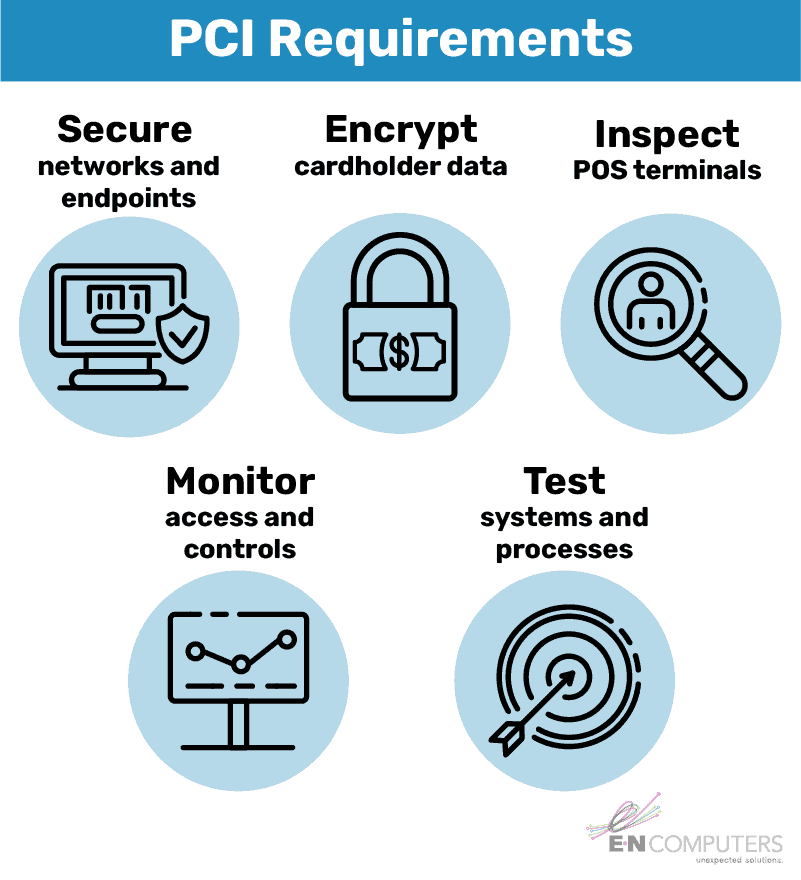
1. Install and maintain a firewall. Firewalls control incoming and outgoing traffic. Hardware firewalls are the first line of defense for your entire network and can be used to segment your payment terminals from the rest of your network. Software firewalls protect individual clients, like a workstation or POS terminal. Both types should be kept up to date and be reviewed regularly for proper configuration.
2. Do not use vendor-supplied default logins. When you first receive equipment from a vendor, it typically has a default username and password. That login information is readily available online and often easy to guess, so it’s important to change it right away. This protects your systems from unauthorized access.
3. Protect stored cardholder data. To the greatest extent possible, avoid storing card data. If you absolutely must store card data, ensure that it is not stored in plain text. Instead, information should be encrypted, hashed, or truncated. It will also only display a portion of the card number. This applies to any location or file that contains card data, including logs, spreadsheets, and databases.
4. Encrypt transmission of cardholder data on open, public networks. Card data must be encrypted when it is transmitted over Bluetooth, Wi-Fi, wired internet connection, or cellular network. Since 2018, merchants have been required to use TLS v1.2 rather than SSL or earlier versions of TLS.
5. Use and regularly update anti-virus software. Devices on your company network should have anti-virus installed and active. The software and its virus definitions should be regularly updated. This reduces the risk of malware infecting your workstations or POS terminals.
6. Develop and maintain secure systems and applications. Keep the operating system and applications on all systems updated. Critical patches should be installed within one month of their release. Monitoring systems for compliance and possible malware intrusions helps you keep systems secure and remediate issues before they become more serious.
7. Restrict access to cardholder data by business need-to-know. Role-based access control enables you to provide each user with only the information they need to perform their job duties. You should be able to produce a list of every person with access to card processing and information, along with their role description and access level.
8. Assign a unique ID to each person with computer access. Logins should never be shared. Every user should have a unique username and they should never share their passwords with anyone or allow anyone to use their account.
9. Restrict physical access to cardholder data. You must implement physical controls to keep card data out of sight and inaccessible to unauthorized users. This may require physical locks and blinds, as well as setting computers to lock after a few minutes of inactivity. It may also require disabling unused network jacks in publicly accessible areas. Requirement 9.9 states that you should periodically inspect devices for evidence of tampering or substitution, including skimming devices. Employees need to be trained on security awareness and locking computers when they step away.
10. Track and monitor all access to network resources and cardholder data. Daily review of system logs is essential to identifying abnormalities, errors, and suspicious activity. You also need a process in place to follow up on any potential issues. Non-compliance with this requirement is very common and is a significant contributor to data breaches.
11. Regularly test security systems and processes. Vulnerability scans and penetration tests can help identify weaknesses and verify whether all the other steps you’ve taken have been successful. The extent to which you must conduct these tests depends on a variety of business factors like which SAQ you have to fill out, business size, and the systems you use.
12. Maintain an information security policy. This document details the policies, procedures, and physical and technical controls in place to maintain information security. You should complete an annual risk assessment and review of this policy, making needed adjustments according to incidents or changes in your business. Every employee should know where to find this policy and exactly what their responsibilities are when it comes to securing information.
Who Needs to Comply?
 PCI DSS applies to every organization that accepts, transmits, or stores cardholder information. From mega-corporations down to sole proprietors with a mobile card reader, if an organization accepts payment cards it must be PCI compliant. Though the standards are mostly uniform, what it means to be compliant varies by an organization’s level of risk.
A merchant’s level of risk falls into one of four categories, as follows.
- Level 1: More than 6 million payment card transactions per year OR the subject of a data breach
- Level 2: 1 million to 6 million payment card transactions per year
- Level 3: 20,000 to 1 million e-commerce transactions per year
- Level 4: Up to 1 million payment card transactions or 20,000 e-commerce transactions per year
Most small businesses fall under Level 4, the lowest level of risk. Though you must meet the same 12 requirements, reporting and verification standards are less stringent. At this level, you’re required to complete the appropriate SAQ, an AOC, and quarterly network scans by an approved scanning vendor (ASV). Your payment processor or acquiring bank—the bank that deposits funds from card transactions minus processing fees into your account—may recommend a particular ASV. If you fall into Level 3, you may be required to complete additional evaluations, such as a penetration test. Generally, you are responsible for making sure the tools and processes you use are PCI compliant. Consider what can happen if you are non-compliant.
What are the Consequences of Non-compliance?
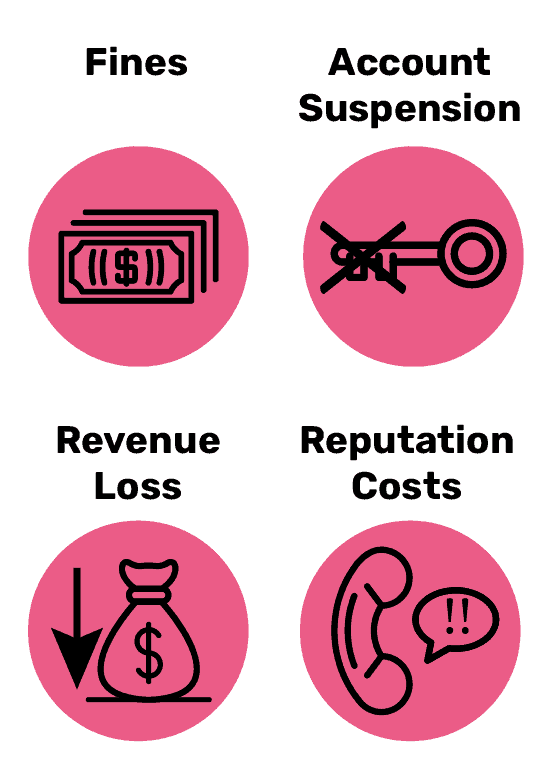 Failure to comply with PCI DSS can cause several problems for your organization. These include penalties, fines, account suspension, remediation costs, a tarnished reputation, and revenue loss. Card issuers can penalize organizations monthly for non-compliance until all identified issues are resolved. In the case of a breach, they can charge a fine per exposed card. Card issuers can temporarily suspend your ability to accept cards or permanently block your organization. A data breach stemming from non-compliance can incur significant costs from notifying customers, providing them with free credit monitoring, and covering legal costs. Your reputation may suffer and result in lost revenues. Because of these serious consequences, nearly 60% of small businesses that suffer a data breach fail within six months of the incident. Without a doubt, every small business needs to be proactive about information security and PCI compliance. How can you become compliant?
How Do I Become Compliant?
You can find the complete PCI DSS is available from the PCI Security Standard Council’s website. Many of the technical safeguards required by PCI DSS are part of a mature IT strategy. Is your current technology approach supporting business needs or getting in the way? To find out how your IT strategy stacks up, and where there’s room for improvement, we invite you to take our free 5-minute IT Self-Assessment. After answering a few questions about four key areas, you’ll receive a list of action steps to help you improve right away.
An experienced IT managed services provider can help you develop a comprehensive IT strategy that addresses information security, PCI compliance, and other business goals. E-N Computers has helped thousands of businesses to secure and stabilize their computer networks. Our clients benefit from improved network security, regularly updated computer systems, and continuous monitoring for malware and other suspicious activity. To find out how we can help you achieve and maintain PCI compliance, schedule a free consultation today.
Take the IT Maturity Assessment

Is your business ready to weather changes, including employee turnover? Find out by taking our IT maturity assessment.
You’ll get personalized action items that you can use to make improvements right away. Plus, you’ll have the opportunity to book a FREE IT strategy session to get even more insights into your IT needs.