

 by Scott Jack
Content Contributor, E-N Computers
Driving growth through technical operations and documentation for 15 years
Updated March 23, 2026
If your business has more than one location, keeping those sites on a single, secure network is one of the more consequential IT decisions you’ll make. SD-WAN, or software-defined wide area networking, is the technology that ties those sites together, routing traffic intelligently across your internet connections, so your network stays fast, reliable, and secure.
E-N Computers uses Cisco Meraki to build SD-WAN networks, and this article will give you a ballpark idea of what SD-WAN costs in 2026. Prices have stayed consistent for the last few years, but lead times and hardware availability have been less predictable, so it pays to plan. We’ll walk through the hardware, licenses, and internet costs you’ll need to budget for, and help you figure out whether SD-WAN is the right fit for your business.
We’ve designed and deployed Meraki networks for hundreds of clients, from professional services firms to schools and libraries across Virginia and the DC area. In addition to project work, we provide ongoing monitoring and management as part of our managed services. For the sake of simplicity, we’re rounding prices to the nearest $100 throughout this article.
QUICK ANSWER:
The total cost of an SD-WAN deployment will depend on:
- number of locations
- number of employees
- what your primary and backup internet services are
- whether you need a cellular gateway for wireless WAN
- whether remote employees receive a hardware gateway
For SMBs using Cisco Meraki, upfront hardware and licensing runs anywhere from about $11,000 for a simple 3-site setup to $27,000 or more for a regional organization with a headquarters and four branch offices. Internet will cost about $350 per month per connection per site for cable or fiber, or $800-$1,500/month at your main office if you want a dedicated line. E-N Computers clients typically pay 25-30% less for Cisco Meraki equipment than the list prices in this guide.
Table of Contents
Network equipment costs
When talking about Meraki prices, the list price is for hardware. You also need a 3-year or 5-year license for access to Meraki cloud-based management tools and security updates.
Cost saving tip: E-N Computers clients typically pay 25–30% less than the list prices shown in this article. On a $27,000 project, that’s $6,750–$8,100 in savings. Contact us for a quote based on your specific configuration.
Meraki Licenses
There are three Meraki licensing models: co-termination, per-device, and subscription.
Co-term licensing is the default and makes sure that all Meraki devices in your organization have the same license end date. When you first buy Meraki products, they share an end date. If you add one or more new devices before that date, a new end date is calculated by averaging all the licenses together and dividing by the license limit device count. Here’s Meraki’s Co-Term Licensing Overview.
Per-device licensing is more flexible that co-term licensing because you can buy licenses for your device or organization and they don’t have to have matching end dates. You can also buy single-day licenses to “true-up” licensing so that they do have matching end dates. The trade-off for this flexibility is greater overhead in managing the licenses. Also, you have to go through an approval process with Meraki Support to switch to this licensing model — and once you switch, you cannot go back to co-term licensing. Here’s Meraki’s Per-Device Licensing Overview.
Subscription licensing is Meraki’s newest option, designed to offer greater flexibility and ease-of-management. A single license unit can cover multiple hardware devices within a device model family. You can choose a license term anywhere from 12 to 120 months, specify the start and end dates, and renew licenses at any time. Here’s Meraki’s Subscription Licensing Overview.
Firewalls
How many network-connected devices — servers, desktops, laptops, tablets, smartphones, VoIP phones — and how many branch locations you have will affect your costs. If you use Azure or AWS cloud infrastructure, there will be costs to integrate it with your network.
Each branch you have needs a firewall to protect your network and prioritize outgoing traffic. Firewalls are sized by the number of devices connecting to them. Here are a the most common choices for small and medium businesses.
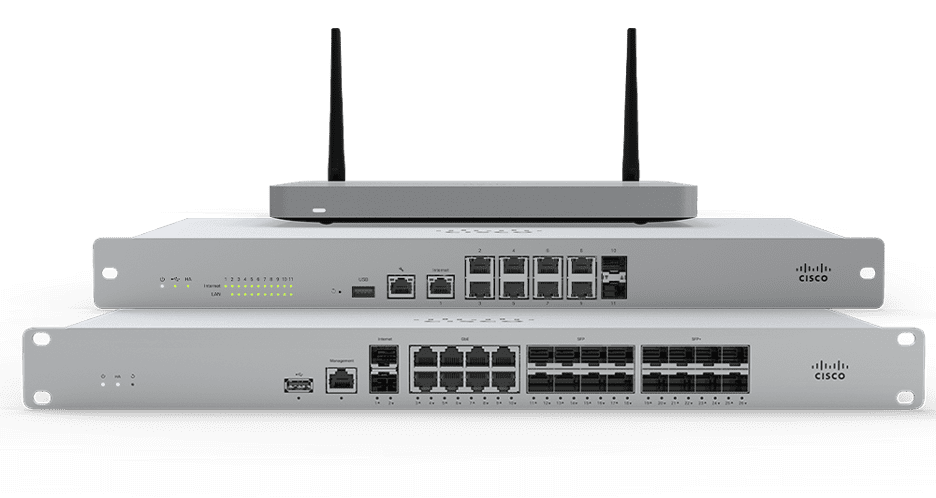
Firewall Pricing
| Office Size (users) | Firewall | List | 3-year | 5-year |
| HQ (500) | MX95 | $5,100 | $8,800 | $10,400 |
| Large (250) | MX85 | $2,500 | $4,400 | $5,100 |
| Small (50) | MX67c | $1,700 | $1,900 | $3,200 |
Cloud Virtual Appliances
If you are a large organization that uses cloud infrastructure like Azure or AWS, you can connect it to your multi-site network much like you would a physical location. A Meraki virtual appliance (vMX) allows you to extend your SD-WAN in this manner. Much like support for a hardware appliance, you can license a virtual appliance in 3-year or 5-year durations. They are sized by the number of concurrent connections they support.
Virtual Appliance Pricing
| Concurrent VPN tunnels |
vMX |
3-year |
5-year |
|
1000 |
Large | $11,000 |
$18,400 |
|
250 |
Medium | $5,500 |
$9,200 |
| 50 | Small | $1,100 |
$1,800 |
Internet Connections
You can use a combination of best-effort connections — like DSL, cable, fiber, and satellite — and dedicated leased lines. “Best effort” connections do not have a contractual uptime guarantee and often share lines with other businesses in your area. In contrast, dedicated lines are all yours and come with a service level agreement (SLA). The cost of the connection will depend on its type, bandwidth, service level agreement (SLA), and how many static IP addresses you receive.
In many cases, having two best-effort connections will provide enough redundancy to keep you online. Local options include Comcast Business, Segra, and Verizon FiOS.
Look for symmetrical connections, meaning that the upload and download speeds are the same. You need this for reliable VoIP phones, video conferencing, and large file transfers across sites. Asymmetrical connections where the upload speed is much lower will quickly become a bottleneck.
Comcast Business gigabit internet costs about $300 to $350 per month. Because Comcast’s network uses copper cabling and is not fully fiber-based, it can’t provide quite the same performance as its fully fiber-optic competitors. Some Comcast plans have asymmetrical speeds, meaning your upload speed is significantly lower than your download speed. This can pose a problem if many employees rely on online services, especially videoconferencing, VoIP, or large file transfers.
Segra and Verizon FiOS offer gigabit internet on a fully fiber-optic network for about $350 per month with symmetrical upload and download speeds. Their networks are newer and not as ubiquitous as traditional ISPs. But if they are available to your business, they make an excellent choice.
For the main office, you may want a dedicated line. These connections are much more expensive: you can easily spend $800 to $1,500 per month for a 100 Mbps symmetrical connection. The reason for the higher cost is because they are more reliable and typically guarantee 99.9+% uptime.
Wireless Wide Area Network (WWAN) Devices
When terrestrial internet options are poor or you need a backup internet connection, you can use an LTE cellular gateway to stay connected. It converts the same LTE cellular signal used by smartphones to a wired Ethernet connection that you can use on your internal network. This makes it useful as either a primary or backup connection. The Meraki MG41 accepts two SIM cards so that you can use two separate LTE networks for redundancy.
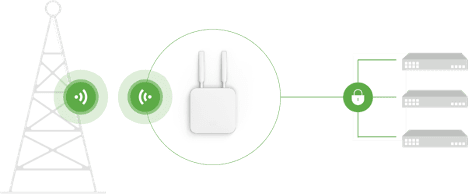
WWAN Device Pricing
|
Model |
List | 3-year | 5-year |
| MG51 (double LTE for HQ/large office | $2,100 | $750 |
$1,000 |
Failover
If you are concerned about limiting the impact of an internet failure, there are a few ways to do so. These include attaching a cellular modem to your network, load balancing your traffic over two similar connections, and having a warm spare firewall at your main office.
Cellular failover. We can attach a cellular modem to your network and configure it to be your internet connection for critical services when your wired connection is out. Cellular plans for this will run $50 to $100 per month.
Load balancing. We can configure your network to split traffic over two similar connections, such as Comcast Business and Verizon FiOS. By balancing the load across two ISPs, you reduce the risk of overloading them and degrading performance.
Warm spare firewall. You can configure a second firewall that matches your primary firewall to be a warm spare. It will be connected to your network and configured to automatically take over if the primary fails. Your finance team will be glad to know that a warm spare doesn’t need its own license.
Remote Workers
For remote workers that need to connect to your internal network, you can use Meraki’s client VPN or Z4 telecommuter gateway. Client VPN is a configuration on your laptops and mobile devices that creates a secure connection to your company’s network. There is no additional license or hardware cost for it. Meraki Z4, on the other hand, is a small hardware device that acts like an extension of your office network, making it particularly useful for people who work from home most or all of the time. See the hardware and licensing prices for it in the table below.
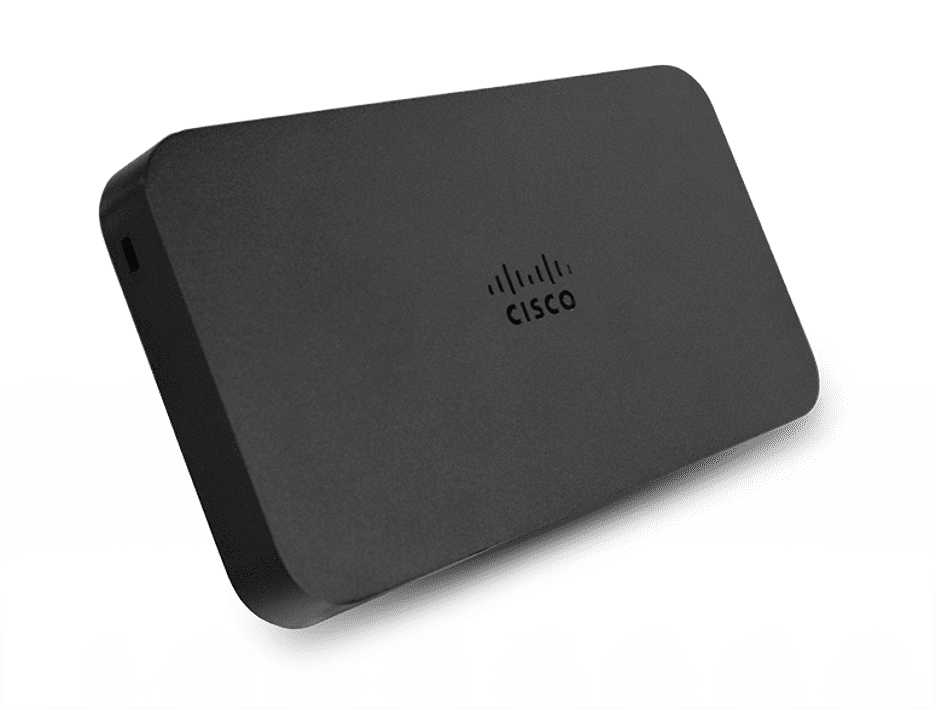
Remote Connectivity Pricing
|
Tool |
List | 3-year | 5-year |
| Client VPN | N/A | N/A | N/A |
| Z4 | $800 | $1000 |
$1600 |
Example pricing scenarios
The tables above give you component-level pricing. These three scenarios show how those pieces add up for common business configurations. All hardware and license figures are list price. E-N Computers clients can pay 25–30% less.
Scenario 1: Small multi-site — 3 locations, ~25 users each
A typical example: a professional services firm with a main office and two satellite locations, each with about 25 staff. Each site gets an MX67c firewall on a 3-year license. An optional improvement would be a second best-effort internet connection for each site for failover without a dedicated line.
| Item | List price |
|---|---|
| Hardware: 1x MX67c (office) + 8x Z4 (remote workers) | $8,100 |
| Licenses: 1x MX67c 3-yr + 8x Z4 3-yr | $9,900 |
| Internet: office fiber @ ~$350/mo (remote workers use home internet) | ~$350/month ongoing |
| Upfront total (hardware + licenses) | ~$18,000 |
Scenario 2: Mid-size multi-site — HQ (150 users) + 4 branch offices (25 users each)
A regional organization like a financial firm, healthcare group, or association with a main office and four smaller branches. The HQ gets a dedicated line for reliability plus a fiber backup; branches run on single fiber connections. We’ve used 5-year licenses here since the hardware investment is significant, and the longer term lowers the per-year cost.
| Item | List price |
|---|---|
| Hardware: 1x MX85 (HQ) + 4x MX67c (branches) | $9,300 |
| Licenses: 1x MX85 5-yr + 4x MX67c 5-yr | $17,900 |
| Internet: HQ dedicated line (100 Mbps) + fiber backup | ~$1,350–1,850/mo |
| Internet: 4x branch fiber @ ~$350/mo | $1,400/month |
| Upfront total (hardware + licenses) | $27,200 |
Scenario 3: Remote work — single office (50 users) + 8 remote workers
A single-site organization with a significant remote workforce. Rather than relying on client VPN on each employee’s laptop, this scenario equips each remote worker with a Z4 gateway — a small device that makes their home connection behave like an extension of the office network. This is a good fit for staff who work from home full-time or handle sensitive data.
| Item | List price |
|---|---|
| Hardware: 1x MX67c (office) + 8x Z4 (remote workers) | $8,100 |
| Licenses: 1x MX67c 3-yr + 8x Z4 3-yr | $9,900 |
| Internet: office fiber @ ~$350/mo (remote workers use home internet) | ~$350/month ongoing |
| Upfront total (hardware + licenses) | ~$18,000 |
These are starting-point estimates. Your actual costs will depend on your specific ISP options, how many locations need cellular failover, and whether you want a warm spare firewall at your main site. We can put together a more precise scope once we understand your setup.
Do you need SD-WAN?
Not every multi-site organization needs SD-WAN. Run through these questions to figure out where you stand.
SD-WAN is likely a good fit if you answer yes to any of these:
- Do your sites need to access data or systems stored at a central office?
- Do you rely on VoIP phones across locations?
- Do you use Azure or AWS cloud infrastructure that needs to connect back to your network?
- Do you have staff who work from home full-time and need secure access to internal systems?
- Is internet downtime at any location a significant productivity or revenue problem?
SD-WAN is probably not necessary if:
- Your staff primarily use web-based software (Microsoft 365, Salesforce, Google Workspace) with no need to reach a central server
- Each site operates largely independently with its own local resources
In those cases, a reliable firewall and failover internet connection at each site will serve you well at lower cost. That said, it’s worth thinking through what a single ISP outage actually costs your business — even a few hours of downtime across a team of 25 can add up fast in lost productivity and missed deadlines. Failover internet, whether through a second ISP connection or a cellular backup, is almost always worth the modest monthly cost.
If SD-WAN is the right call, we recommend planning an all-Meraki network. When everything runs on the same platform, management is centralized, troubleshooting is faster, and security policies apply consistently across every site.
Not sure where to start? Our free IT Maturity Self-Assessment takes about 10 minutes and gives you a clear picture of where your IT stands today — including whether a multi-site network upgrade belongs on your roadmap. You’ll get specific action items, plus the option to book a free strategy session to talk through your results.
Not sure if you need managed IT services?
Take the IT Maturity Self-Assessment

In a few minutes, get actionable insights on your IT strategy, plus a free strategic consultation.